可直接使用的提示词
原文

Create a single full-viewport (`h-[100dvh]`) Nike-branded section in React + Tailwind CSS + GSAP. It must be **fully mobile responsive**. The app requires `react-player` and `gsap` installed via npm.

---

### 1. Dependencies to Install
Install `react-player` and `gsap`.

### 2. Globals & Configuration (`src/index.css`)
Replace `index.css` with this exact Tailwind v4 and Google Fonts configuration:
```css
@import url('https://fonts.googleapis.com/css2?family=Instrument+Serif:ital@0;1&family=Manrope:wght@400;500;600;700&display=swap');
@import "tailwindcss";

@theme {
  --font-sans: "Manrope", sans-serif;
  --font-serif: "Instrument Serif", serif;
}
```

### 3. SpotlightReveal Component (`src/components/SpotlightReveal.tsx`)

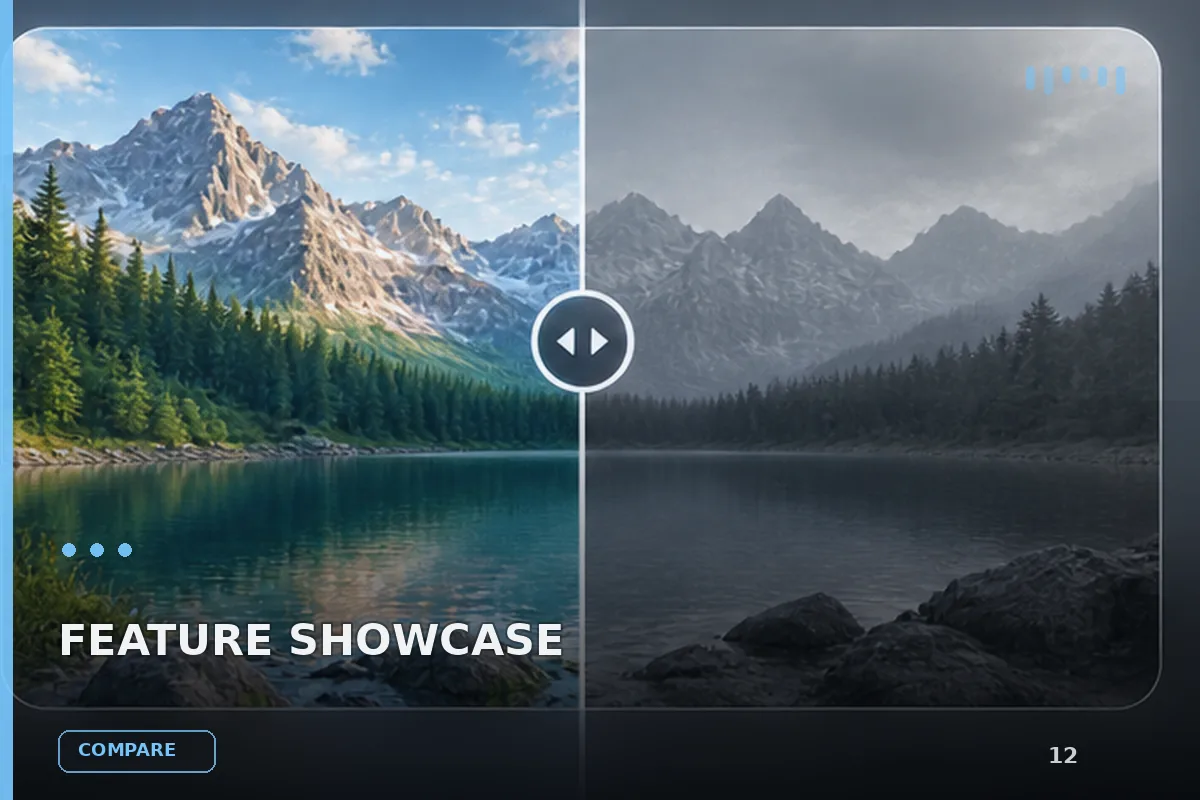
An interactive cursor-following SVG spotlight mask. The user's mouse reveals a hidden video layer underneath a static image overlay. On mobile/touch devices, falls back to touch tracking.

```tsx
import { useEffect, useRef } from 'react';

interface SpotlightRevealProps {
  imageSrc: string;
  videoSrc: string;
  isPlaying?: boolean;
  baseRadius?: number;
}

export default function SpotlightReveal({
  imageSrc,
  videoSrc,
  isPlaying = true,
  baseRadius = 420,
}: SpotlightRevealProps) {
  const NUM_TRAILS = 6;
  const videoRef = useRef<HTMLVideoElement>(null);
  const pointsRef = useRef(
    Array.from({ length: NUM_TRAILS }, () => ({ x: -1000, y: -1000 }))
  );

  useEffect(() => {
    if (videoRef.current) {
      if (isPlaying) {
        videoRef.current.play().catch(() => {});
      } else {
        videoRef.current.pause();
      }
    }
  }, [isPlaying]);

  useEffect(() => {
    let targetX = window.innerWidth / 2,
      targetY = window.innerHeight / 2;
    const handleMouseMove = (e: MouseEvent) => {
      targetX = e.clientX;
      targetY = e.clientY;
    };
    window.addEventListener('mousemove', handleMouseMove);

    let animationFrameId: number;
    const animate = () => {
      const points = pointsRef.current;
      points[0].x += (targetX - points[0].x) * 0.2;
      points[0].y += (targetY - points[0].y) * 0.2;
      for (let i = 1; i < points.length; i++) {
        points[i].x += (points[i - 1].x - points[i].x) * 0.35;
        points[i].y += (points[i - 1].y - points[i].y) * 0.35;
      }
      for (let i = 0; i < points.length; i++) {
        const circle = document.getElementById(`trail-${i}`);
        if (circle) {
          circle.setAttribute('cx', points[i].x.toString());
          circle.setAttribute('cy', points[i].y.toString());
        }
      }
      animationFrameId = requestAnimationFrame(animate);
    };
    animate();
    return () => {
      window.removeEventListener('mousemove', handleMouseMove);
      cancelAnimationFrame(animationFrameId);
    };
  }, []);

  return (
    <div className="absolute inset-0 w-full h-full z-0 bg-black pointer-events-none overflow-hidden flex items-center justify-center">
      <div className="absolute inset-0 w-full h-full flex items-center justify-center overflow-hidden pointer-events-none">
        <video
          ref={videoRef}
          src={videoSrc}
          className="absolute inset-0 w-full h-full object-cover"
          muted
          loop
          playsInline
        />
      </div>
      <svg
        className="absolute inset-0 w-full h-full"
        xmlns="http://www.w3.org/2000/svg"
      >
        <defs>
          <radialGradient id="holeGradient">
            <stop offset="0%" stopColor="black" stopOpacity="1" />
            <stop offset="60%" stopColor="black" stopOpacity="0.8" />
            <stop offset="100%" stopColor="black" stopOpacity="0" />
          </radialGradient>
          <mask
            id="spotlight-mask"
            maskContentUnits="userSpaceOnUse"
            x="0"
            y="0"
            width="100%"
            height="100%"
          >
            <rect width="100%" height="100%" fill="white" />
            {Array.from({ length: NUM_TRAILS })
              .reverse()
              .map((_, reversedIndex) => {
                const i = NUM_TRAILS - 1 - reversedIndex;
                return (
                  <circle
                    key={`trail-${i}`}
                    id={`trail-${i}`}
                    cx="-1000"
                    cy="-1000"
                    r={baseRadius - i * 35}
                    fill="url(#holeGradient)"
                    opacity={1 - i * 0.15}
                  />
                );
              })}
          </mask>
        </defs>
        <image
          href={imageSrc}
          width="100%"
          height="100%"
          preserveAspectRatio="xMidYMid slice"
          mask="url(#spotlight-mask)"
        />
      </svg>
    </div>
  );
}
```

**How it works:**
- A `<video>` plays fullscreen behind everything.
- An SVG `<image>` is overlaid on top, masked by a radial gradient mask.
- 6 trail circles follow the cursor with easing (leader at 0.2 lerp, followers at 0.35 lerp). Where the circles are, the mask cuts a hole revealing the video underneath.
- `baseRadius` controls the spotlight size (default 420 for section 1, 520 for this section 2).
- `isPlaying` toggles video play/pause via hover zones defined in the parent.

---

### 4. Section 2 Layout (`src/App.tsx`)

**Exact assets:**
- **Image overlay (static):** `https://github.com/dsMagnatov/Acreage-landing-assets/blob/main/02604201313.png?raw=true`
- **Video (revealed on hover):** `https://pikaso.cdnpk.net/private/production/4024859125/d070ae9c-55df-47aa-acbe-4ee66337855c-0.mp4?token=exp=1777075200~hmac=4202c1d0ec90137eb6dffa8e0db93ed7569a68b2016165d8b1b567f888869ff5`
- **SpotlightReveal baseRadius:** `520`

**Section container:**
```tsx
<section
  className="relative z-10 w-full h-[100dvh] overflow-hidden bg-black text-white"
  style={{ boxShadow: '0 -20px 50px rgba(0,0,0,0.5)' }}
>
```
- Full viewport height, black background, white text, top inset shadow for depth when scrolling.

**Element 1 -- SpotlightReveal background:**
```tsx
<SpotlightReveal
  imageSrc="https://github.com/dsMagnatov/Acreage-landing-assets/blob/main/02604201313.png?raw=true"
  videoSrc="https://pikaso.cdnpk.net/private/production/4024859125/d070ae9c-55df-47aa-acbe-4ee66337855c-0.mp4?token=exp=1777075200~hmac=4202c1d0ec90137eb6dffa8e0db93ed7569a68b2016165d8b1b567f888869ff5"
  isPlaying={isSecondVideoPlaying}
  baseRadius={520}
/>
```

**Element 2 -- Two invisible hover trigger zones (toggle video play/pause):**
```tsx
{/* Right-side hover zone */}
<div
  className="absolute right-[calc(8%+100px)] bottom-[12%] w-[calc(50%-50px)] h-[calc(50%+230px)] z-30"
  onMouseEnter={() => setIsSecondVideoPlaying(true)}
  onMouseLeave={() => setIsSecondVideoPlaying(false)}
/>
{/* Left-side hover zone */}
<div
  className="absolute left-[calc(8%+200px)] top-[calc(20%+190px)] w-[calc(15%+250px)] h-[calc(22.5%+130px)] -translate-y-full z-30"
  onMouseEnter={() => setIsSecondVideoPlaying(true)}
  onMouseLeave={() => setIsSecondVideoPlaying(false)}
/>
```
These are transparent interactive areas that trigger the video. Make them responsive: on mobile, simplify to a single full-width touch zone or auto-play the video.

**Element 3 -- Stats card (top-left area):**
Positioned `absolute left-[calc(8%+200px)] top-[20%] z-20`. Width `320px`. Glassmorphism card with:
- `background: rgba(0, 0, 0, 0.16)`, `backdrop-filter: blur(80px)`, `border: 1px solid rgba(255,255,255,0.1)`, `border-radius: 2px (rounded-sm)`.
- Padding: `px-8 py-6`.

Card contents:
1. **Big stat:** `78%` in `font-serif italic`, color `#DA3A16`, size `72px`, `leading-[80px]`, `tracking-tight`.
2. **Inline SVG chart** next to the stat (inside a `w-[11px]` wrapper, but the SVG itself is `width: 160px, height: 80px`). The chart is a wavy line in `#DA3A16` with a drop shadow filter in the same orange-red color. Exact SVG path:
```svg
<svg style="width:160px;height:80px" viewBox="0 0 289 138" fill="none" xmlns="http://www.w3.org/2000/svg">
  <g filter="url(#filter0_d_878_28499)">
    <path d="M22.5 48.7306C39.7833 48.7306 49.34 54.94 63.1667 69.2965C76.9933 83.653 86.55 110.5 103.833 110.5C121.117 110.5 130.673 84.2876 144.5 59.2856C158.327 34.2837 167.883 19.5573 185.167 19.5573C202.45 19.5573 208.55 57.6673 225.833 57.6673C243.117 57.6673 249.217 19.5 266.5 19.5" stroke="#DA3A16" stroke-width="2"/>
  </g>
  <defs>
    <filter id="filter0_d_878_28499" x="0" y="0" width="289" height="138" filterUnits="userSpaceOnUse" color-interpolation-filters="sRGB">
      <feFlood flood-opacity="0" result="BackgroundImageFix"/>
      <feColorMatrix in="SourceAlpha" type="matrix" values="0 0 0 0 0 0 0 0 0 0 0 0 0 0 0 0 0 0 127 0" result="hardAlpha"/>
      <feOffset dy="4"/>
      <feGaussianBlur stdDeviation="11.25"/>
      <feComposite in2="hardAlpha" operator="out"/>
      <feColorMatrix type="matrix" values="0 0 0 0 0.854902 0 0 0 0 0.227451 0 0 0 0 0.0862745 0 0 0 1 0"/>
      <feBlend mode="normal" in2="BackgroundImageFix" result="effect1_dropShadow_878_28499"/>
      <feBlend mode="normal" in="SourceGraphic" in2="effect1_dropShadow_878_28499" result="shape"/>
    </filter>
  </defs>
</svg>
```
3. **Title:** `"NEXT-GEN CUSHIONING ARCHITECTURE"` -- `font-serif`, white, `text-[15px]`, `tracking-[0.02em]`, uppercase, `mb-2`, `leading-tight`.
4. **Subtitle:** `"Impact Absorption & Energy Return Dynamics"` -- `font-serif`, `text-white/60`, `text-[13px]`.

On mobile: reposition this card to `left-4 top-[15%]` or `top-auto bottom-[55%]`, reduce width to `w-[280px]`, scale the stat to `text-[48px]`.

**Element 4 -- Hero headline (bottom-left):**
Positioned `absolute left-[8%] bottom-[12%] z-20`, `max-w-[500px]`.

```html
<h2 class="text-[44px] leading-[1.05] tracking-tight flex flex-col">
  <span class="font-sans font-medium">Bringing Aerospace-</span>
  <span class="font-sans font-medium">Grade Infrastructure</span>
  <span class="font-serif font-normal pt-1">
    <span class="not-italic">Directly To Your </span>
    <span class="italic">Everyday</span>
  </span>
  <span class="font-serif italic font-normal">Urban Exploration</span>
</h2>
```

- Lines 1-2 use `font-sans` (Manrope) `font-medium`.
- Lines 3-4 use `font-serif` (Instrument Serif). Line 3 mixes non-italic "Directly To Your" with italic "Everyday". Line 4 is fully italic.
- On mobile: reduce to `text-[24px] sm:text-[32px] md:text-[44px]`, position `left-4 bottom-[8%]`, `max-w-[90%]`.

**Element 5 -- Nike branded CTA block (bottom-right):**
Positioned `absolute right-[calc(8%+100px)] bottom-[12%] z-20`, stacked vertically with `flex flex-col items-center`.

Two stacked boxes, each `w-[180px]`:
1. **Top box (white):** `bg-white`, `py-[6px]`, centered text: `"THE SCIENCE OF IMPACT CONTROL"` in `text-black font-serif text-[10px] uppercase font-bold tracking-[0.08em] leading-[16px]`.
2. **Bottom box (Nike red):** `bg-[#DA3A16]`, `h-[100px]`, centered Nike swoosh SVG in white, `width="86"`. Exact swoosh path:
```svg
<svg width="86" viewBox="135.5 361.38 420.32 149.8" fill="white" xmlns="http://www.w3.org/2000/svg">
  <path d="m181.86 511.11c-12.524-0.49755-22.77-3.9244-30.782-10.289-1.529-1.2159-5.1725-4.8616-6.3949-6.3992-3.2489-4.0853-5.4578-8.0611-6.931-12.472-4.5334-13.579-2.2002-31.397 6.6737-50.953 7.5979-16.742 19.322-33.347 39.776-56.344 3.013-3.384 11.986-13.281 12.043-13.281 0.0216 0-0.46749 0.84706-1.083 1.8786-5.3183 8.9082-9.8689 19.401-12.348 28.485-3.9823 14.576-3.502 27.085 1.4068 36.784 3.3862 6.6822 9.1913 12.47 15.719 15.67 11.428 5.5993 28.159 6.0625 48.592 1.3554 1.4068-0.32599 71.116-18.831 154.91-41.123 83.794-22.294 152.36-40.52 152.37-40.505 0.0237 0.0193-194.68 83.333-295.75 126.56-16.007 6.8431-20.287 8.5715-27.812 11.214-19.236 6.7551-36.467 9.9783-50.396 9.4251z"/>
</svg>
```

On mobile: reposition to `right-4 bottom-[8%]`, reduce width to `w-[140px]`, reduce box height to `h-[80px]`.

---

### 5. Color Palette
| Token | Value | Usage |
|---|---|---|
| Background | `#000000` | Section bg |
| Nike Red/Orange | `#DA3A16` | Stat text, chart stroke, chart glow shadow, Nike logo box |
| Text primary | `#FFFFFF` | Headlines, card title |
| Text muted | `rgba(255,255,255,0.6)` | Card subtitle (`text-white/60`) |
| Card bg | `rgba(0,0,0,0.16)` | Glassmorphism card |
| Card border | `rgba(255,255,255,0.1)` | Card border |
| CTA top box | `#FFFFFF` bg / `#000000` text | Label box |

### 6. Typography Rules
| Element | Font | Weight | Size | Style |
|---|---|---|---|---|
| Headline lines 1-2 | Manrope (`font-sans`) | 500 (medium) | 44px | Normal |
| Headline lines 3-4 | Instrument Serif (`font-serif`) | 400 (normal) | 44px | Italic (mixed on line 3) |
| Stat number | Instrument Serif | 400 | 72px | Italic |
| Card title | Instrument Serif | 400 | 15px | Normal, uppercase |
| Card subtitle | Instrument Serif | 400 | 13px | Normal |
| CTA label | Instrument Serif | 700 (bold) | 10px | Normal, uppercase |

### 7. Mobile Responsive Requirements

Implement these breakpoints:
- **< 640px (mobile):** Stack elements vertically. Stats card moves to top-center with reduced dimensions. Headline drops to `text-[24px]` at `left-4 bottom-[30%]`. Nike CTA block moves to center-bottom. Hover zones become a single full-area touch zone. Consider auto-playing the video on mobile since there's no hover. Reduce `baseRadius` to `280` on mobile.
- **640px-1024px (tablet):** Stats card shifts to `left-[5%] top-[18%]`, headline to `text-[32px]`. CTA block to `right-[5%]`.
- **> 1024px (desktop):** Use the exact desktop positions described above unchanged.

### 8. State Management
```tsx
const [isSecondVideoPlaying, setIsSecondVideoPlaying] = useState(false);
```
Controlled by the invisible hover zones. On mobile, default to `true` (auto-play) or use `onTouchStart`/`onTouchEnd`.

---
案例说明
面向现代品牌的功能展示效果,以玻璃拟态、鼠标跟随、悬停反馈组织视觉层次;适合用于网页原型、品牌展示与交互动效参考。
适用信息
适配模型:React + Tailwind CSS + Motion
难度:进阶
标签:网页特效、功能展示、玻璃拟态、鼠标跟随、悬停反馈、沉浸式视频、Features
动态效果预览
来源:AI妙词(已获授权转载),原条目 ID 187。